Old photographs, restored to true color.
Relive the vibrancy of old times with our photo colorization.
120,000+ people restoring historical photos
- No sign-up to try
- Deleted after processing
- The pioneer — since 2023
Precision restoration, without the studio.
AI-driven color
A model trained on millions of restorations infers true, era-accurate color — not a tint, the real thing.
Try until satisfied
Generate as many variations as you like. Only pay when a result is right. Previews are always free.
Detail retained
Grain, focus and original resolution stay intact. Color is added beneath the photograph, never over it.
Private by default
Files travel over a 2048-bit encrypted connection and are deleted the moment processing finishes.
A century of memory, brought forward.


Three steps, about thirty seconds.
Upload your photo
Drag in any black-and-white image, up to 4096×4096. JPG, PNG and HEIC welcome.
Let the model work
Kolorize analyses tone, texture and context to rebuild color — in seconds, no settings to learn.
Preview & download
Compare against the original, pick your favourite pass, and download at full resolution.
What AI photo colorization actually does.
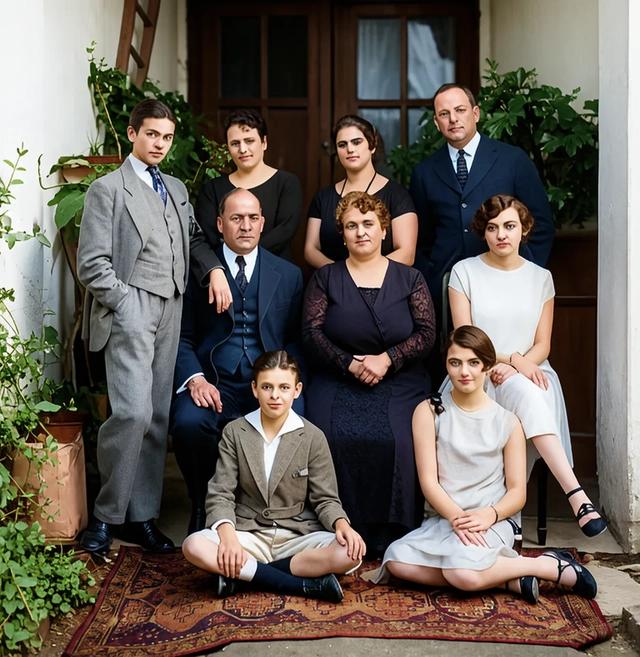
Colorize black-and-white family photos
Rediscover the photographs at the back of the drawer. Kolorize reads the light, grain and texture of a monochrome image and infers the color that was always there — skin tones, fabric, sky.
No brushes, no masks, no photo-editing skills required — just a faithful, full-color rendering of the moment as it happened.
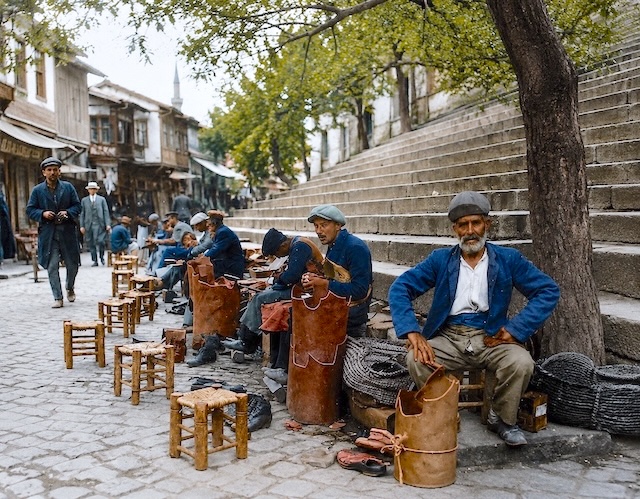
Compare every colorized result
A straightforward three-step process produces several color interpretations of the same photo. Slide between the original black-and-white image and each pass to see exactly what the AI changed.
Keep the rendering that feels true to the memory — you commit to nothing until you download.
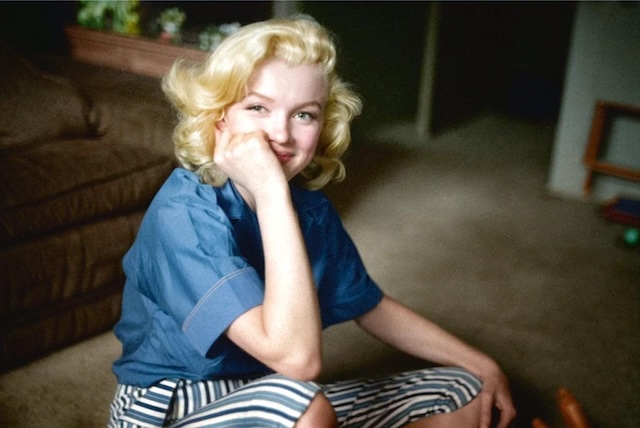
Try the AI photo colorizer on your own photo
The fastest way to judge an online photo colorizer is to feed it your own photograph. Upload one black-and-white photo and see the colorized result in seconds — the preview is free and no account is required.
Kept by people who keep things.
Colorizing my grandmother's photo album to take her back to her youth had always been a dream. Kolorize made it real in an afternoon.
I stumbled on this colorizer and it left quite an impression. It's become my go-to for adding color to black-and-white photos — consistently impressive.
A genuine game-changer. Its proficiency in converting black-and-white images into vivid digital renditions is truly remarkable — and the value is hard to beat.
Frequently asked questions.
What file formats can I upload to colorize a photo?
+
Kolorize accepts JPEG, PNG, WebP, GIF and AVIF images. Photos larger than 4096×4096 are automatically downscaled to that resolution before colorization, and the finished image is downloaded as a high-quality JPG.
How is Kolorize different from other photo colorizers?
+
Kolorize runs proprietary AI models built specifically for colorizing black-and-white photos. It takes a few seconds longer than generic one-click filters, but instead of a flat tint it reconstructs realistic, era-accurate color — which is why the results read as true color photographs.
How accurate is AI photo colorization?
+
The model predicts the colors an object most likely had in reality, based on statistical patterns learned from millions of photographs. A banana comes out yellow or green, never blue or purple. No colorizer can guarantee a 100% match with the original scene, but Kolorize produces a natural, historically plausible result.
Can Kolorize restore vintage photos with sepia or yellowed tones?
+
Yes. The AI first determines whether a photograph was originally black and white, sepia-toned or a faded color print, then adds new color or restores the original colors accordingly. It handles vintage photos with yellowish or reddish casts well.
How long does it take to colorize a black-and-white photo?
+
Most photos are colorized in 3 to 8 seconds. Processing time depends on the resolution and level of detail of the image — even large 4096×4096 photos finish in well under a minute.
Are photos on Kolorize colorized by hand?
+
No. Every photo is colorized fully automatically by AI — no human ever views or retouches your images. That keeps results fast, consistent and private.
What is a credit?
+
Credits are spent only when you download a finished image — one credit per download. Previews are always free, and re-downloading the same processed image at the same resolution never costs an additional credit.
How long are credits valid?
+
Credits are valid for two years from the date of purchase, so there is no pressure to use them right away.
Can I use colorized photos commercially?
+
Yes. Every photo you colorize with Kolorize is yours to use anywhere — personal projects, publications, documentaries or commercial work, with no extra licensing fees.
Bring one photo
back to color.
No account, no cost to preview. See your first restoration in seconds.